
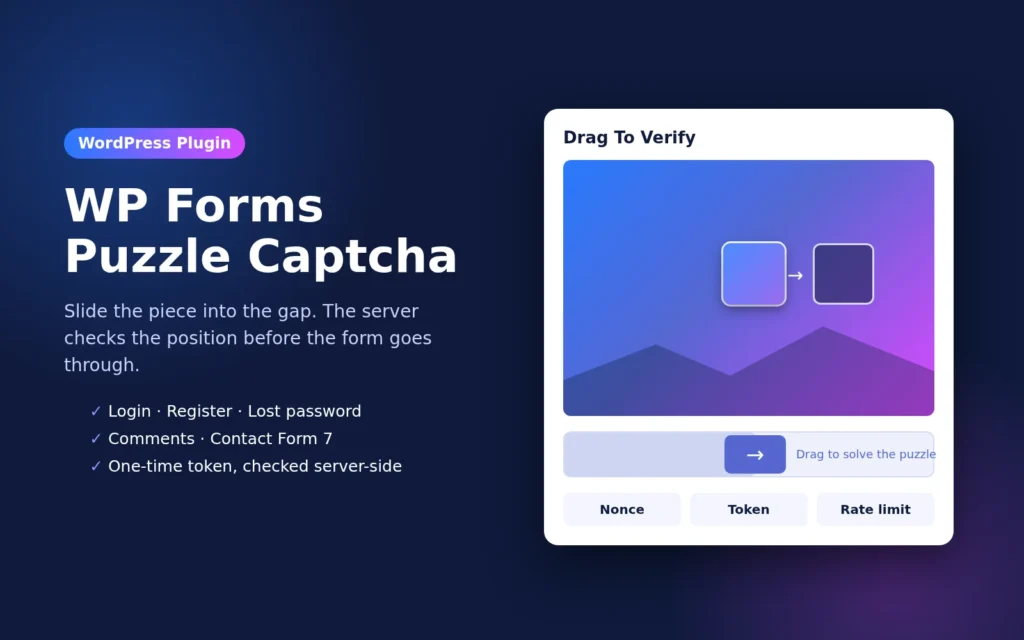
I built a puzzle captcha WordPress plugin because I wanted spam protection on my own forms without loading Google scripts or asking visitors to pick out traffic lights. It’s called WP Forms Puzzle Captcha. You drag a puzzle piece into the gap, the server checks where you dropped it, and only then does the form go through.
The problem I wanted to fix
Most of the spam on small WordPress sites comes from bots hitting the login page, the comment form and contact forms. reCAPTCHA works, but it adds third-party scripts, cookie questions and slower pages. I wanted something light that runs on my own server and is quick for real people.
How the puzzle captcha WordPress plugin works
- When the form loads, the plugin creates a one-time token and picks a random gap position on the server. It saves both in a transient that expires in 10 minutes.
- The visitor drags the slider until the piece fits the gap.
- The browser sends the drop position to the server. The server compares it with the stored position (within 8 pixels) and marks the token as solved.
- When the form is submitted, the server checks that the token was solved for that exact form, then deletes it so it can’t be used twice.
Until the puzzle is solved, the submit button stays disabled.
Where you can use it
- WordPress login form
- Registration form (when registration is open)
- Lost password form
- Comment form
- Contact Form 7, using a
[puzzlecaptcha]tag from the form builder
What I changed to make it more secure
Version 5.0.0 is a rework of how the check is done. The main changes:
- Checked on the server. The form only goes through if the server has marked the token as solved. Hiding the slider or skipping the JavaScript doesn’t help a bot.
- One-time tokens. Each token works for one form and one submission, and it expires after 10 minutes.
- Nonces on every AJAX request, following the WordPress nonce guidelines.
- Rate limiting per IP on the challenge and verify requests.
- Sanitized input and escaped output everywhere, plus a capability check and nonce on the settings screens.
- Assets load only where needed: on the login screens, on posts with open comments, or on pages that have a Contact Form 7 form with the puzzle tag.
Setup
- Upload and activate the plugin.
- Open WFP Captcha Settings in your dashboard and turn the puzzle on for login, register, lost password or comments. You can change the header, slider and “try again” text for each form.
- For Contact Form 7, open your form, click Puzzle Captcha Field in the tag bar, and insert the tag.
- If you use a page cache, exclude the pages that have the puzzle (see the note below).
A few honest notes
- A slider puzzle stops most automated spam, but no captcha stops a person who is determined to get through. For login, pair it with strong passwords and two-factor login.
- The token is created when the page is built, so pages served from a full-page cache can share one token. Exclude your contact page from the cache, or wait for the next update that loads the token fresh on each visit.
- XML-RPC and REST logins are not covered by the puzzle. Disable XML-RPC if you don’t use it.
Download WP Forms Puzzle Captcha: A Simple Puzzle Captcha for WordPress Forms
You verified . No code needed.
Enter your email below to get the free puzzle captcha WordPress plugin zip.
Need it set up on your site?
I’m a freelance WordPress developer in Surat, and I can install this, add it to your forms, or build a custom anti-spam setup for you. Take a look at my WordPress services or contact me with what you need.
Changelog
- 5.0.0: Security update. Server-side position check with one-time tokens that expire after 10 minutes.