
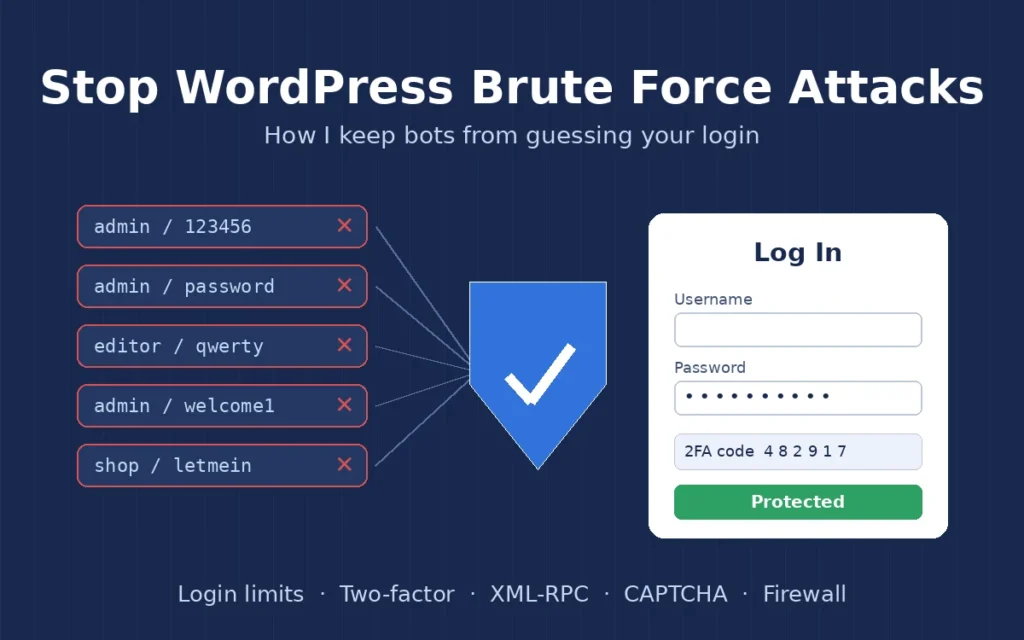
A WordPress brute force attack is something almost every site I look after deals with, whether the owner knows it or not. Bots try thousands of username and password combinations on the login page, hoping one of them works. Most of the time they fail, but they still slow the server down, fill the logs and, on a site with a weak password, eventually get in. In this post I explain how I spot these attacks and the steps I use to stop them on client sites.
I am a freelance WordPress developer in Surat, and login security is one of the first things I check when I take over a site. None of the fixes below need expensive tools. They are mostly good habits plus one or two lightweight plugins, set up carefully so real users are not locked out.
What a WordPress brute force attack looks like
The attack itself is simple. A script sends login requests to wp-login.php or xmlrpc.php over and over, trying common usernames such as admin, the site name or author names it finds on the blog, together with lists of leaked passwords. The signs I usually see are:
- Lots of failed logins: a security plugin or the server log shows hundreds of attempts from many different IP addresses.
- High CPU on shared hosting: every login attempt runs PHP and the database, so the whole site gets slower.
- Login page timing out: real users, and sometimes the owner, cannot get into wp-admin while the attack is running.
- Emails from the host: warnings about resource limits or blocked requests to the login page.

If you are already locked out of your own site because of this, my guide on WordPress login not working covers how I get back in safely before I start hardening anything.
How I stop a WordPress brute force attack
1. Use strong passwords and unique usernames
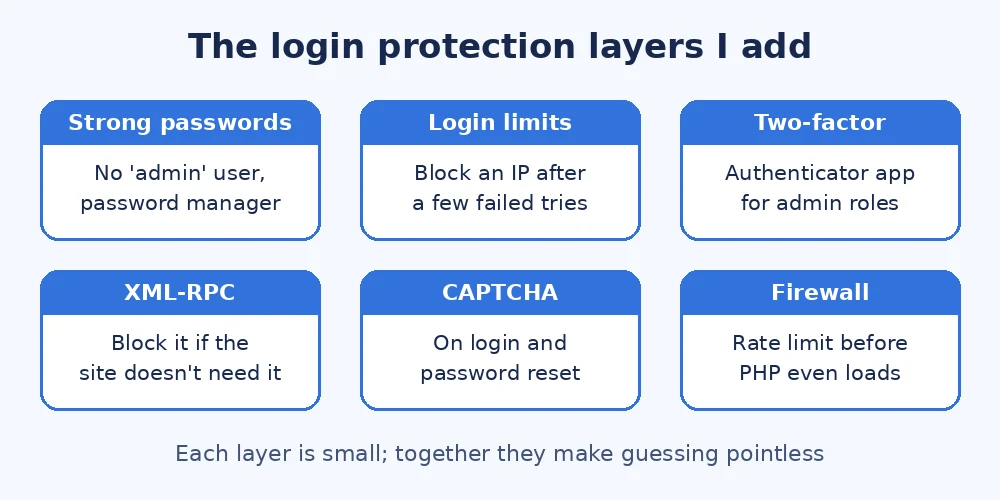
This sounds basic, but it is the fix that matters most. I make sure no account is called admin, every administrator uses a long password from a password manager, and old accounts for past developers or staff are removed. A WordPress brute force attack only works when it can guess both parts, so a unique username and a strong password already make it close to useless.
2. Limit login attempts
WordPress lets anyone try to log in as many times as they like. I add a small plugin such as Limit Login Attempts Reloaded, or use the same feature in a security plugin the site already has, so an IP address is blocked for a while after a few failed tries. I keep the limits reasonable so a client who mistypes a password twice is not locked out for a day. On its own, this step cuts a typical WordPress brute force attack down to a handful of wasted requests.
3. Turn on two-factor authentication
Two-factor login means a stolen or guessed password is not enough on its own. For administrator and shop manager accounts I set up the free Two Factor plugin or the option in an existing security plugin, using an authenticator app rather than SMS. I always save backup codes for the client before switching it on.
4. Disable or restrict XML-RPC
Many bots skip the login page and attack xmlrpc.php instead, because one request can try many passwords at once. Most modern sites do not need XML-RPC unless they use the old mobile app or certain Jetpack features. When a site does not need it, I block it at the server level or with a security plugin, which removes a big part of the WordPress brute force attack surface.
5. Add a CAPTCHA to the login form
A simple CAPTCHA stops most automated scripts without bothering real users much, and it is one of the cheapest ways to slow down a WordPress brute force attack. I use the same approach I describe in my post on how I stop bot signups with a puzzle CAPTCHA, applied to the login and password reset forms as well.
6. Block attacks before they reach WordPress
Plugins only act once PHP has already loaded, so on sites that get hit hard I prefer to stop the traffic earlier. A web application firewall from the host or a service like Cloudflare can rate limit or challenge requests to wp-login.php, and on some servers I add password protection to the login URL with the web server itself. The official WordPress brute force guide lists several of these server-level options.
7. Keep everything updated and backed up
Login protection is only one layer. I keep WordPress core, themes and plugins updated, check that file permissions are correct, and make sure there is a recent backup that actually restores. The WordPress hardening documentation is a good checklist for the rest, and my post on WordPress file permissions shows the settings I use.
What I do if an attack succeeded
If someone did get in, I treat it as a hacked site rather than a login problem. I change every password, including hosting, database and FTP, log out all sessions by changing the security keys in wp-config.php, check for new administrator accounts and scan the files for anything added. My full process is in my guide to cleaning a hacked WordPress site.
Final thoughts
You cannot stop bots from trying, but you can make a WordPress brute force attack pointless. Use unique usernames and strong passwords, limit login attempts, turn on two-factor for admins, block XML-RPC if you do not need it, and stop heavy traffic at the firewall. If your login page is under constant attack or you would like me to set this up for you, feel free to get in touch and I will be happy to help.