
NR Form Entries is my free Contact Form 7 entries plugin. It saves every Contact Form 7 submission to your WordPress database and shows them in a clean admin inbox, where you can search, filter, star and export them. I built it for my own site first, and I’m sharing it here in case it helps you too.

What’s new in 1.1
Version 1.1 (current release 1.1.2) moves NR Form Entries into a shared “Nitin Rathod” menu in the WordPress admin and adds a Forms screen. How your entries are saved hasn’t changed.
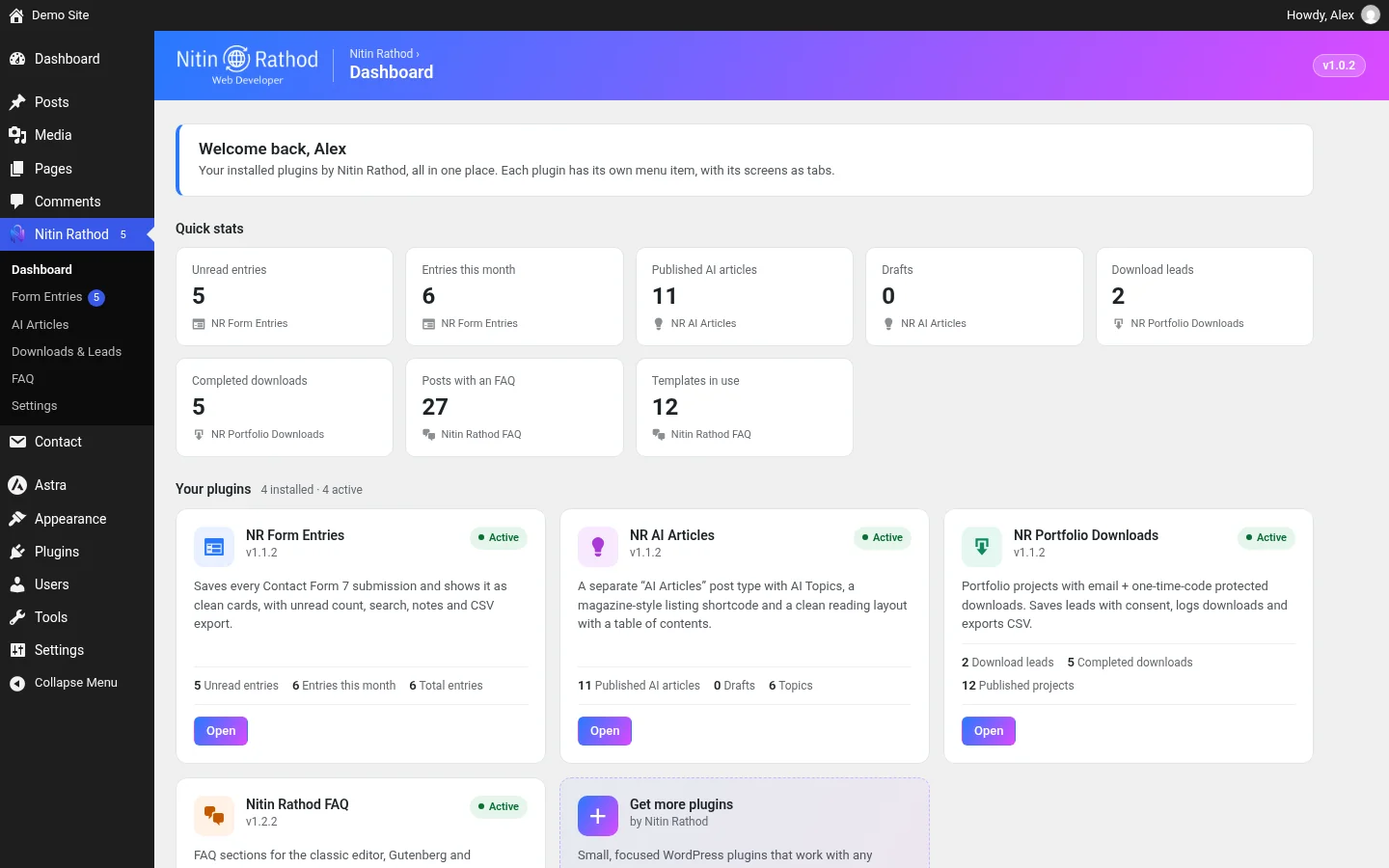
- One “Nitin Rathod” menu: Form Entries is now an item in the “Nitin Rathod” admin menu. If you also use my other plugins, they sit in the same menu, and a small dashboard shows real numbers from each one, such as unread entries and entries this month.
- Tabs instead of separate pages: Entries, Forms and Settings are now tabs on one screen. Old links to the Settings page redirect to the new tab, so bookmarks still work.
- New Forms tab: lists every Contact Form 7 form on your site with its total entries, unread count, last entry date and whether saving is on. It links to each form’s entries and to the form itself.
- Your data is unchanged: the database tables, settings, privacy options and CSV export work exactly as before. Updating from 1.0.x needs no migration.
- Prefer the old menu? Turn off grouping in Nitin Rathod → Settings and Form Entries gets its own menu again.

Why I built this Contact Form 7 entries plugin
Contact Form 7 sends each message by email but doesn’t keep a copy on your site. If an email is lost or lands in spam, the message is gone. I used an older Contact Form DB plugin to fix that, but its admin screens felt dated and cramped. I wanted something cleaner and more modern to work with every day, with privacy settings built in, so I wrote my own.
Key features
- Saves every submission: all fields, the form name, the time, the page it was sent from, and whether the email was sent or failed.
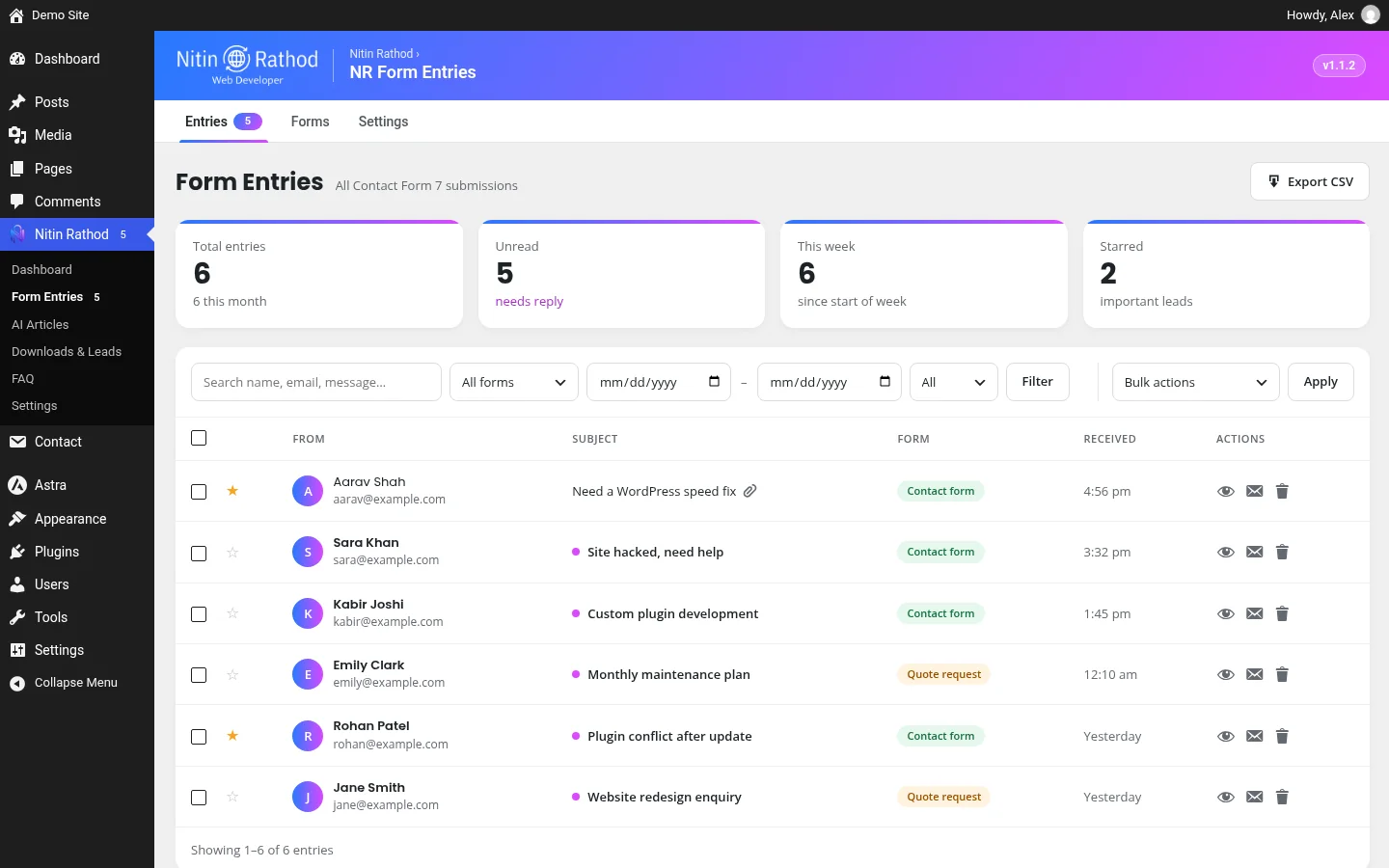
- Clean inbox with cards for total entries, unread entries and entries this week.
- Search and filters: search names, emails and messages, then filter by form, date range and read, unread or starred.
- Star, read and unread, plus bulk actions to mark read, star, export or delete.
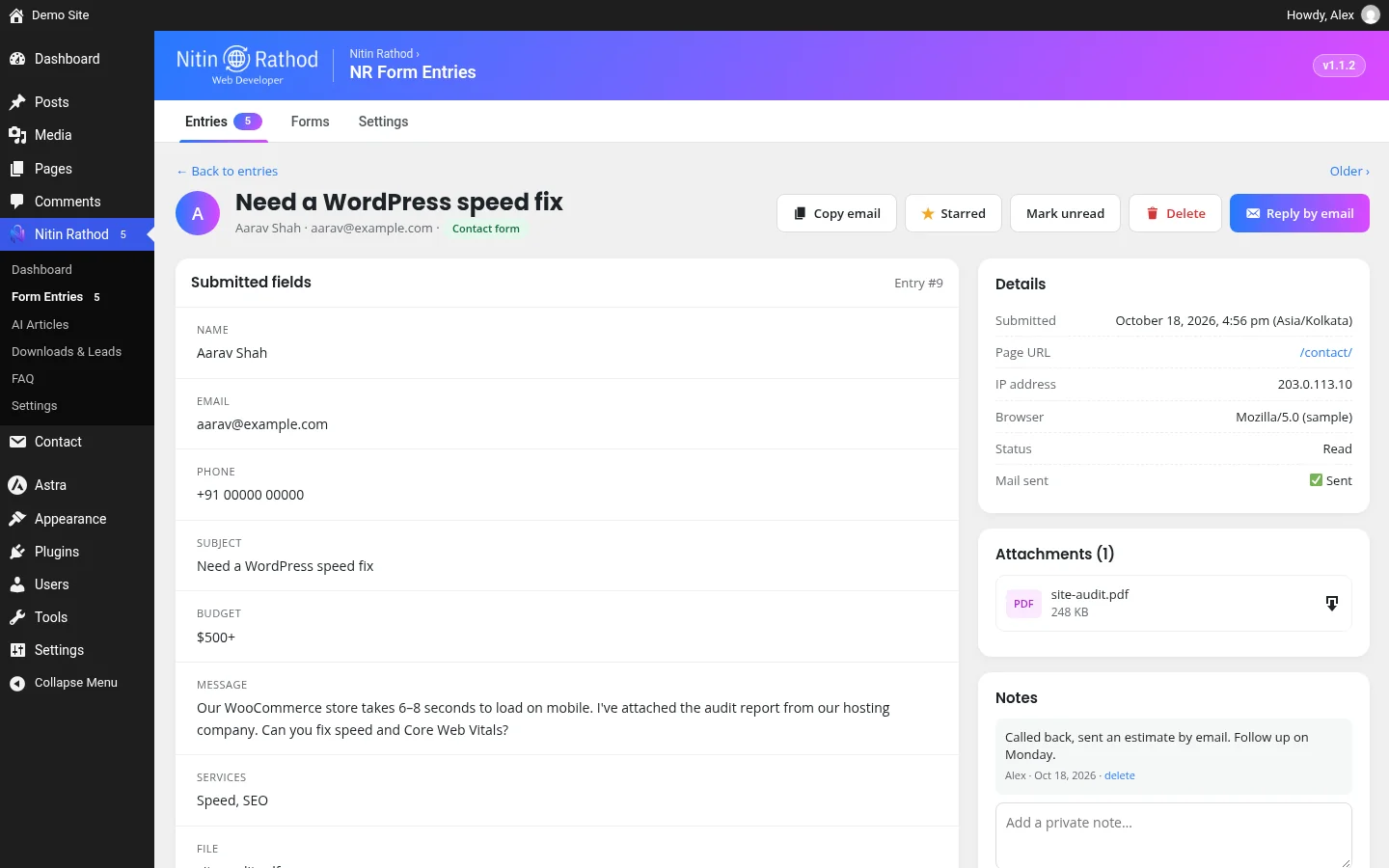
- Entry view with every field, private notes, a copy-email button and a reply-by-email button.
- Attachments uploaded through the form are kept with the entry and can be downloaded from the entry view.
- CSV export of filtered or selected entries, ready for Excel or Google Sheets.
- Your branding in the admin header, with a filter to change the logo.
Privacy and security
- Auto-delete old entries after a number of days you choose. A daily task also removes their files and notes.
- IP address storage can be off, anonymised or full. Storing the browser is optional too.
- GDPR tools: entries are included in WordPress’s Export and Erase Personal Data tools, matched by email. See the WordPress privacy guidelines for plugins.
- Protected attachments: files are stored in a folder that blocks direct access, with random file names. They’re only served to logged-in users who are allowed to manage entries.
- Safe CSV export: values that could run as spreadsheet formulas are neutralised.
- Admins only by default, with nonces on every action and prepared database queries. Developers can change the required capability with a filter.
- You can skip whole forms or single fields. Captcha, quiz and honeypot fields are never saved.
Requirements
- WordPress 6.0 or newer
- PHP 7.4 or newer
- Contact Form 7 (tested with 6.2.2)
It saves new submissions from the moment you activate it. It doesn’t import entries from other plugins yet. This Contact Form 7 entries plugin keeps everything inside your own WordPress database.
How to set it up
- Download the zip below, then go to Plugins → Add New → Upload Plugin and activate it.
- Open Nitin Rathod → Form Entries and click the Settings tab. Pick how many days to keep entries, how to store IP addresses, and which forms or fields to skip.
- Send a test message through one of your forms. It shows up in the Entries tab straight away, marked as unread.
- Open the entry to read every field, add a note, or reply by email. Use Export CSV whenever you need a spreadsheet.
Because this Contact Form 7 entries plugin keeps a copy of each message on your own site, you still have every enquiry even if an email notification never arrives. That was the main reason I wanted it on my own site.
Download NR Form Entries: Contact Form 7 Entries Plugin
You verified . No code needed.
Need help with your forms?
I’m a freelance WordPress developer in Surat. I can set this up for you, connect your forms, or build a custom form workflow. See my WordPress services, browse more of my work in the portfolio, or contact me with what you need. If you need a Contact Form 7 entries plugin tailored to your site, I can build that too.
Changelog
1.1.2
- Hub dashboard: Quick stats icons are now centred
1.1.1
- Neutral wording on the hub dashboard for any site
1.1.0
- Joins the Nitin Rathod admin menu with Entries, Forms and Settings tabs
- New Forms tab with entries and unread count per form
- Old Settings link redirects to the new tab. Data, settings and CSV export unchanged
1.0.2
- Uniform 40px toolbar controls, bulk actions on the filter row
- Redesigned card-based Settings with toggles and a clear save bar
1.0.1
- Brand logo in the admin page headers (filter nr_fe_logo_url)
- N mark admin menu icon (filter nr_fe_menu_icon_url)
1.0.0
- First release