AI WordPress plugin development is a topic clients ask me about more and more. After more than ten years of building WordPress sites and custom plugins as a freelancer, I now use AI coding assistants every week. They make me faster at some jobs and add nothing at others. In this article I explain honestly where they help, where I still write and review every line myself, and the rules I follow so that speed never costs a client their security or privacy.
Why I started using AI in WordPress plugin work
Most plugin projects contain a lot of work that is necessary but not difficult. Registering a post type, building a settings page, writing a shortcode wrapper, adding admin columns: I have written these many times, and typing them again is not where my value lies. My value is in understanding what the client needs, choosing the right structure, and making sure the plugin is safe and easy to maintain.
An AI coding assistant is good at the first kind of work. It is not a replacement for the second. Once I started treating it as a fast junior helper rather than an expert, it became genuinely useful.
Where AI coding assistants help me most
Boilerplate and repetitive structure
When I start a new plugin, I ask an assistant for the skeleton: the main plugin header, a class structure, activation and deactivation hooks, and the usual register_post_type() arguments. I already know what correct code looks like here, so I can check the result in seconds. It saves typing, not thinking. Used this way, AI WordPress plugin development is faster without being careless.
Regular expressions and string handling
Regular expressions are easy to get slightly wrong. I describe the pattern in plain words, ask for a regex plus a short explanation of each part, and then test it against real and edge-case input before using it. If the explanation does not match what I asked for, I do not use it.
Understanding error messages
When a site shows a PHP warning, a fatal error or a strange JavaScript console message, an assistant can explain what the message means and suggest likely causes. That is a good starting point, especially with unfamiliar third-party code. I still reproduce the problem on a staging copy and confirm the cause myself. If your own site is showing errors you do not understand, my WordPress error fixing service covers exactly this kind of work.
Documentation and readme files
Writing a clear readme, inline comments and a short user guide for the client is important but often rushed at the end of a project. I give the assistant the plugin’s features in a bullet list and ask for a first draft. Then I edit it so it matches what the plugin really does and sounds like me.
Test cases and edge cases
I ask an assistant to list edge cases I might have missed: empty values, very long input, unexpected characters, a user without the right capability, a request without a valid nonce. It is a useful checklist generator. I decide which cases matter and write or run the tests myself.
Where I still write and review everything myself
This is the most important part of my AI WordPress plugin development process. Some areas are too important to hand over, no matter how confident the generated code looks.
Security: escaping, nonces and sanitisation
AI-generated code often looks correct and still misses security basics. I have seen suggestions that output user input without escaping, save form data without sanitising it, or skip capability checks. Every form handler, AJAX callback and REST endpoint in my plugins is reviewed line by line for three things:
- Nonce verification, so the request really came from the intended form.
- Capability checks, so only the right users can perform the action.
- Sanitising input and escaping output, so data is cleaned on the way in and made safe on the way out.
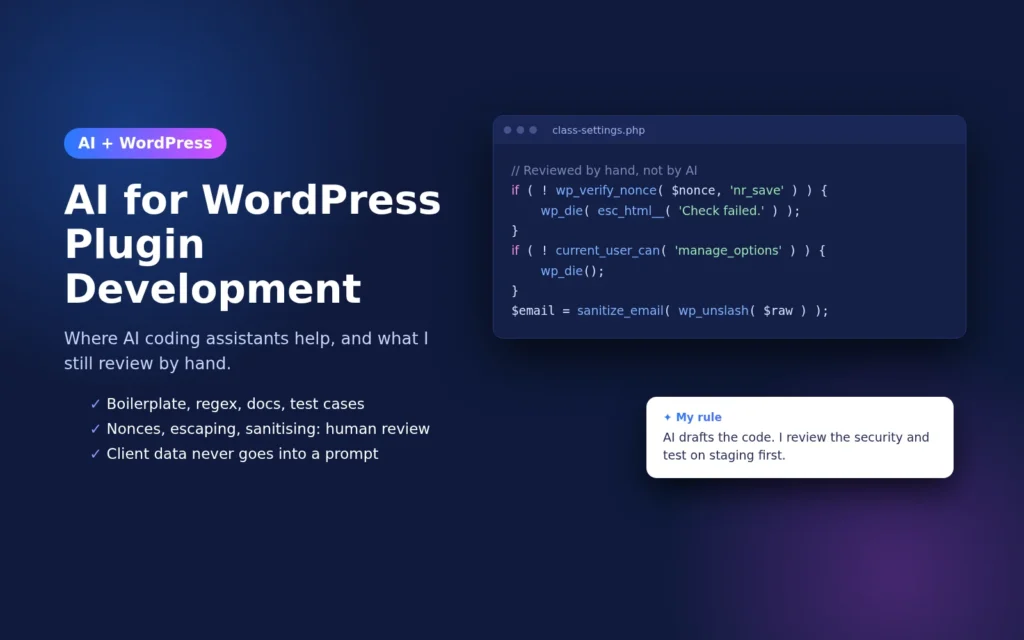
Here is the kind of check I expect to see in a simple settings form handler. If generated code is missing any of these lines, I add them:
if ( ! isset( $_POST['nr_settings_nonce'] )
	|| ! wp_verify_nonce( sanitize_text_field( wp_unslash( $_POST['nr_settings_nonce'] ) ), 'nr_save_settings' ) ) {
	wp_die( esc_html__( 'Security check failed.', 'nr' ) );
}

if ( ! current_user_can( 'manage_options' ) ) {
	wp_die( esc_html__( 'You are not allowed to do this.', 'nr' ) );
}

$email = isset( $_POST['nr_email'] ) ? sanitize_email( wp_unslash( $_POST['nr_email'] ) ) : '';
update_option( 'nr_notify_email', $email );
The official WordPress security documentation explains these functions in detail, and I treat it as the reference, not whatever an assistant suggests.
Architecture and long-term decisions
Should this be a custom plugin or an existing one with a small extension? Should data live in post meta, a custom table or options? How will the plugin behave when the client adds a thousand items next year? These decisions depend on the client’s business, budget and future plans. An assistant does not know any of that, so I make these choices myself. I have written more about this in how I decide between a custom plugin and an existing one.
Client data and NDAs
Much of my client work is under NDA. That means client code, database exports, customer details, passwords, API keys and private business information never go into a prompt. When I need help with a problem from a client project, I rewrite it as a small, generic example with made-up names and no real data. If I cannot describe the problem without exposing something private, I solve it without AI.
My AI WordPress plugin development workflow, step by step
- Define the task myself. I write down what the code must do, which hooks it uses and what the security rules are before asking anything.
- Ask for a small piece. One function or one class at a time is much easier to review than a whole plugin.
- Read every line. I check naming, prefixes, WordPress coding standards, escaping, sanitisation, nonces and capabilities.
- Test on staging. Nothing goes to a live site before it runs on a staging copy. I explain my process in this guide to staging sites and plugin updates.
- Debug with real tools. I use WordPress debug logs and the browser console to confirm behaviour, not just the assistant’s opinion.
- Document and hand over. I finish the readme and client notes, edited by me, so the client knows exactly what they are getting.
Common mistakes I see in AI-generated WordPress code
- Functions without a unique prefix, which can clash with other plugins.
- Output echoed without
esc_html(),esc_attr()oresc_url(). - Direct database queries without
$wpdb->prepare(). - Deprecated functions or patterns from older WordPress versions.
- Scripts and styles loaded on every page instead of only where they are needed.
- Confident answers about hooks or functions that do not exist.
None of these are rare, which is why review is not optional.
What this means for my clients
For clients, using AI the way I do mainly means less time spent on repetitive parts of a project and more time on planning, testing and security. It does not mean cheaper shortcuts or untested code. You still get a plugin that I understand completely, have reviewed fully and can maintain later.
You can see examples of plugins and websites I have built in my portfolio, and the kinds of work I take on in my WordPress services.
Key takeaways
- AI coding assistants are useful for boilerplate, regex, error explanations, documentation and edge-case lists.
- Security, architecture and client-specific decisions stay with an experienced developer.
- Client data and NDA-protected code never go into a prompt.
- Every line is reviewed and tested on staging before it reaches a live site.
If you need a custom WordPress plugin built carefully, or want a second opinion on code that was generated with AI, get in touch with me and tell me what you are working on. That is the balance I aim for in AI WordPress plugin development: let AI handle the repetitive parts, and keep the decisions that protect users in my own hands.