
A WordPress redirect loop looks brutal in the browser: Chrome shows ERR_TOO_MANY_REDIRECTS, Firefox says the page isn’t redirecting properly, and the site never finishes loading. I see this often after an HTTP-to-HTTPS move, a domain change, or a migration — while maintaining WordPress sites from Surat for businesses and stores. The good news is the loop is almost always a conflict between two layers that both think they own the URL.
Below is the process I use: how I confirm it is really a WordPress redirect loop, the causes I check first, the steps that get the site opening again, and how I prevent the same mess after the next migration or SSL change.
How I confirm it is a WordPress redirect loop
Not every “site won’t open” error is a redirect loop. Hosting downtime, DNS mistakes, and a broken PHP fatal look different. I treat something as a WordPress redirect loop when:
- The browser error names too many redirects (or equivalent wording)
- A private/incognito window shows the same failure (so it is not only a sticky cookie)
- Clearing browser cookies for the domain does not fix it on its own
- Tools that follow redirects show the same two (or three) URLs trading places — for example
http://↔https://, orwww↔ non-www
When I can still reach the server, I also peek at response headers. If WordPress is sending the redirect, you may see an X-Redirect-By: WordPress header. If that header is missing and the redirect still happens, the loop is often coming from the server, CDN, or .htaccess before WordPress runs. That split tells me where to start.
Common causes of a WordPress redirect loop I check first
I do not change five settings at once. I walk a short list in order, because most loops come from one of these.
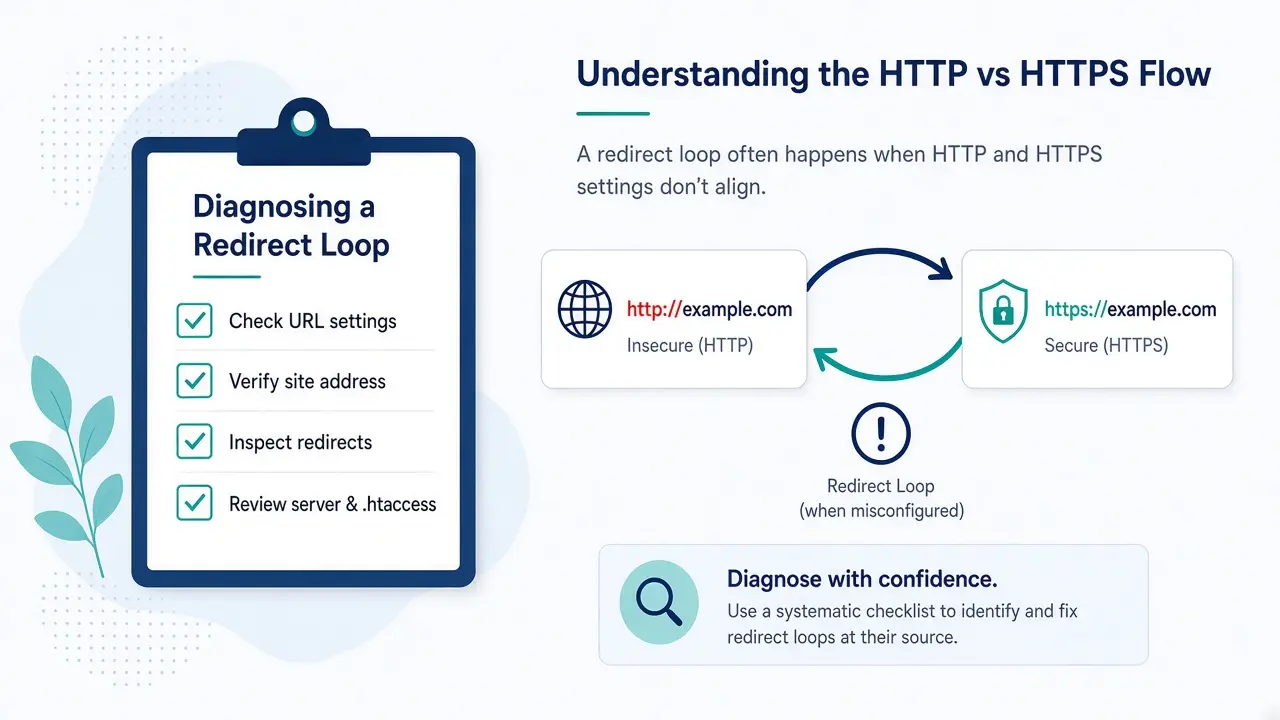
- HTTPS / SSL plugin mismatch — the host already forces HTTPS, and a plugin also forces HTTPS (or the reverse: WordPress still thinks the site is HTTP while the host redirects to HTTPS)
- Wrong
siteurl/home— Settings → General (or the database) still has the old protocol, old domain, or a trailing-slash / www mismatch .htaccessrewrite rules — custom redirects that fight WordPress permalinks, or a leftover force-HTTP rule after SSL was installed- Caching or CDN — page cache or CDN still serving an old 301 chain after you already fixed the real URLs
- A security or “force login” plugin — redirecting visitors or admins in a way that collides with HTTPS or membership rules
Caching problems often sit next to performance work. When a CDN keeps replaying a bad redirect, the cleanup overlaps with what I do on WordPress speed optimization — purge first, then retest, so you are not debugging yesterday’s headers.
Steps I take to fix a WordPress redirect loop
Once I know which layer is fighting, I restore access with the smallest change that breaks the loop. I prefer staging when the site still has a working copy; on a broken production site I still change one thing at a time and keep a backup first.
- Pause force-HTTPS temporarily — rename the SSL / “Really Simple SSL”-style plugin folder via SFTP, or turn off the host’s force-HTTPS rule for a minute, so WordPress and the server stop bouncing visitors
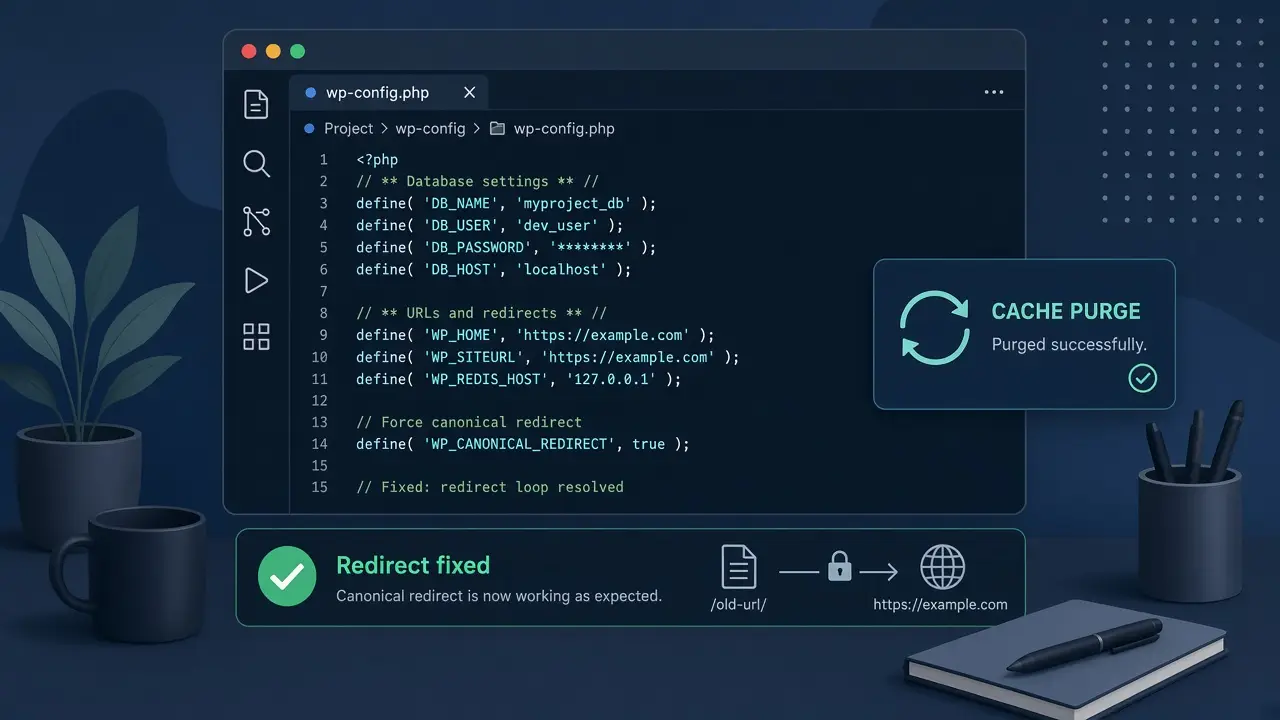
- Align WordPress URLs — set both WordPress Address and Site Address to the exact public URL (same protocol, same www choice, no trailing slash). If wp-admin is unreachable, I hard-code the pair in
wp-config.phpwithWP_HOMEandWP_SITEURL, or editsiteurlandhomein thewp_optionstable - Clear every cache layer — page cache plugin, object cache, host cache, and CDN. Then test in a private window
- Regenerate permalinks — open Settings → Permalinks and click Save (no need to change the structure). That flushes rewrite rules and often repairs a damaged
.htaccessWordPress block - Re-enable HTTPS cleanly — turn force-HTTPS back on in only one place (host or plugin, not both fighting), after the site loads on the correct URL
WordPress documents how to change those addresses safely in their guide to changing the site URL. I treat that as the baseline for wp-config.php and database edits, then handle the SSL plugin and CDN edges the docs cannot see on your specific host. For rewrite rules themselves, the Permalinks screen docs explain why a Save flushes rules and when you must paste the default block into .htaccess by hand.
When .htaccess or a plugin is the culprit
If URLs already match and HTTPS is only forced once, I rename .htaccess to .htaccess.bak, let WordPress recreate a clean file from Permalinks → Save, then re-add any custom redirects one by one. For plugins, I disable the security / redirect / SSL candidates from SFTP (rename the plugin folder) rather than guessing inside a dashboard I cannot open. After each change I retest the homepage and /wp-admin/ logged out.
How I prevent WordPress redirect loops after migrations and HTTPS moves
Most of the WordPress redirect loop tickets I get are avoidable with a short checklist before go-live:
- Decide the canonical URL once (HTTPS, www or non-www) and use that same string in DNS, the host SSL panel, Settings → General, and any CDN “always HTTPS” toggle
- Run a serialization-aware search-replace for the old domain/protocol on staging before you cut DNS
- Keep force-HTTPS in one layer only after the certificate is valid
- Purge cache and CDN immediately after the URL change — do not “wait for it to expire”
- Open the site in a private window and follow the redirect chain once before you call the migration done
- Test plugin updates and SSL changes on staging first when the site is business-critical — same habit I use before risky updates on a WordPress staging site
I also leave myself a note in the project file: which layer owns HTTPS. Six months later, that note stops someone from installing a second SSL plugin “just in case.”
Quick checklist before I call the loop fixed
- Private window still shows the site (and wp-admin) without
ERR_TOO_MANY_REDIRECTS siteurlandhomematch the public HTTPS URL exactly- Only one force-HTTPS mechanism is active
- Page cache, object cache, and CDN were purged after the fix
- Permalinks were saved;
.htaccesshas a clean WordPress block if the host uses Apache - Temporary
WP_HOME/WP_SITEURLdefines were either removed after the database was corrected, or left intentionally documented
A WordPress redirect loop feels like the whole site is gone, but it is usually two settings disagreeing — not a reason to rebuild. If your site is stuck on too many redirects after a migration or HTTPS move and you want a second pair of hands, email me at rnitinb@gmail.com or use the contact page. I help with WordPress maintenance and security from Surat, including URL and SSL cleanups that leave forms, checkout, and the rest of the site intact.